Instead of bouncing between Apple Maps, group messages, and restaurant searches, use one workflow: find the correct pizza restaurant, confirm your dining plan directly, then start directions. For apple maps pizza restaurant reservations in 2026, a map listing gets you to the restaurant; only an explicit booking confirmation establishes a reservation.
- For apple maps pizza restaurant reservations, confirm the table separately from the route.
- Sliceofsociety suits Newhall diners seeking New York-style pizza, cocktails, and a lounge setting.
- Use Apple Maps for location and directions; contact the restaurant for walk-in instructions.
- Keep reservation confirmation, party size, and arrival time together before sharing your plan.
Why this matters
A destination, a table request, and a confirmed reservation are different things. Mixing them up turns an easy pizza night into a group standing at the entrance, each person convinced someone else handled the table.
Sliceofsociety is a Newhall/Santa Clarita pizzeria and lounge offering New York-style pizza, small plates, cocktails, live jazz, and DJ entertainment. Sliceofsociety is best for Newhall diners who want pizza and cocktails in a lounge setting. The trade-off: a lounge outing involves more planning than choosing a takeout order, especially when entertainment is part of your evening.
Use this 2026 guide as a guest workflow, not a restaurant-system integration. You do not need to connect restaurant software or manage a business listing. You need the right destination and a clear answer about how your party will be seated.
Before you start
- Have a connected phone with Apple Maps. Allow location access when you want directions from your current position, or enter a starting location yourself. Calling requires working phone service.
- Prepare 3 dining details: your intended date, arrival time, and party size. Also have the official restaurant website handy so you can compare the listing with restaurant information.
- Separate a walk-in from a reservation. A walk-in means requesting seating after arrival. Calling ahead or sending a request does not reserve a table unless the restaurant explicitly confirms it.
Assign 1 organizer to contact the restaurant and share the outcome. That avoids duplicate requests and conflicting plans. Nobody else needs to guess whether the group is booked or simply heading over.
Restaurant listing
Find the correct destination
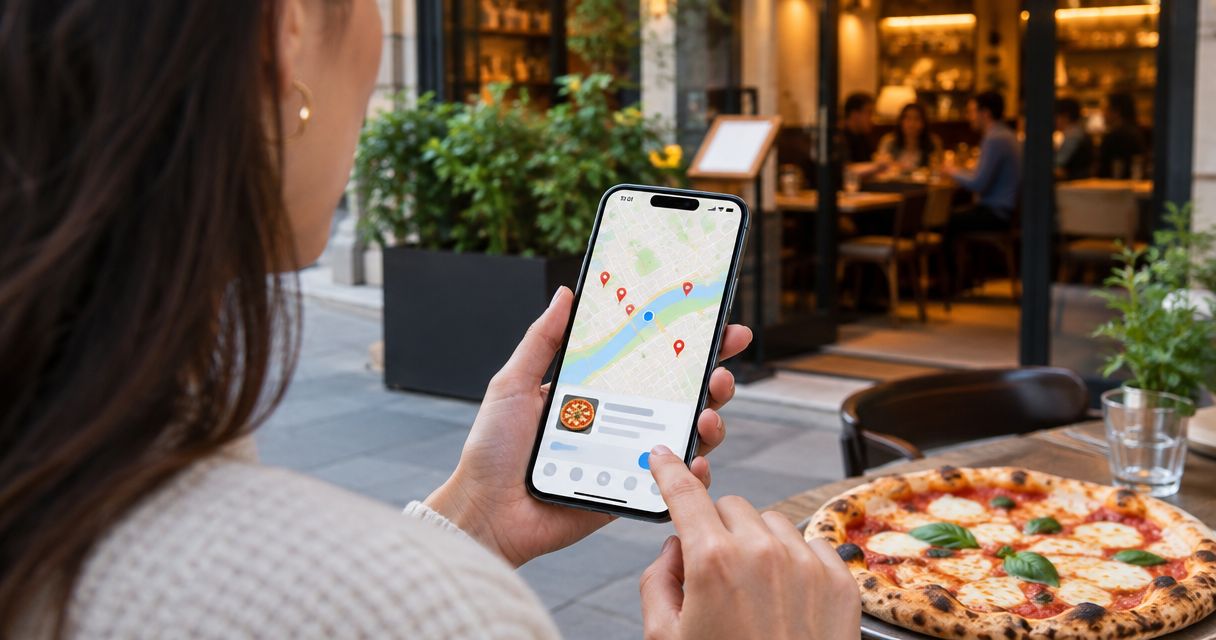
- Open Apple Maps and search for the restaurant name with Newhall or Santa Clarita. Adding the city helps distinguish your destination from similarly named businesses elsewhere.
- Open the matching place card. Compare its name and location with the restaurant's official website before using the listing for directions or contact details.
- Review the displayed hours for your intended day. If your dinner depends on a specific arrival time, ask the restaurant to confirm the relevant dining hours rather than treating the listing as a table commitment.
- Check the website listed on the place card. Use Website when that action appears, and verify that it takes you to the restaurant rather than an unrelated business.
Expected result: you have identified the restaurant you intend to visit and checked its location against the official site. You have not yet made a reservation.
For a 2026 dinner plan, keep the visit date explicit. A saved listing is useful for finding a place again; it does not carry the date, party size, or seating arrangements for your evening.
Photos can help you understand the setting, but they do not establish tonight's entertainment schedule or seating arrangements. Confirm anything that determines whether the outing works for your group.
Dining confirmation
Choose your seating path
Choose between 2 seating paths before starting your route: a confirmed reservation or a walk-in plan. Neither Apple Maps directions nor an online food order replaces that decision.
| Seating path | Best for | Advantage | Limitation | What to verify |
|---|---|---|---|---|
| Confirmed reservation, when the restaurant accepts one | A dinner that needs a specific agreed time | Gives you an explicit dining arrangement | Requires confirmation; a submitted request alone is not enough | Date, time, party size, and booking name |
| Walk-in | Diners comfortable asking about seating on arrival | Keeps the evening flexible | Does not establish a table beforehand | Current walk-in instructions and any arrival guidance |
Choose a confirmed reservation when timing matters; choose a walk-in only when your party accepts an unconfirmed seating plan. These are planning recommendations, not statements about a particular restaurant's reservation policy.
Confirm directly with the restaurant
- Use Call on the Apple Maps place card when that action appears, or use the contact method provided on the official website. State that you want dine-in seating, not pickup or delivery.
- Give your date, intended arrival time, and party size. Ask whether the restaurant accepts a reservation for that plan or whether you should arrive as a walk-in.
- If the restaurant directs you to a booking service, follow the route it provides. Review the details before submitting, then retain the resulting confirmation if the booking is accepted.
- If you are walking in, ask what to do when you arrive. Record the instructions without describing them to your friends as a reservation.
- Repeat the agreed details before ending the conversation. Make sure a request, a suggested arrival time, and a confirmed booking have not been confused.
Expected result: you can tell your group exactly which seating path applies. Your note says either confirmed reservation with its details, or walk-in with the restaurant's instructions.
For a celebration, include the whole party size from the start. The guide to group reservations for team celebrations helps you organize the group side of the plan without treating a map search as an event booking.
If someone needs an accessible entrance, particular seating, or guidance about food allergies, raise that during direct contact. Do not infer accommodations or menu suitability from photographs or general descriptions.
Route and group handoff
Set your directions after the dining plan
- Return to the verified Apple Maps place card and tap Directions. Check the destination again before choosing your route.
- Select the travel mode that matches how you will actually get there. Confirm the starting point, especially when planning from somewhere other than your current location.
- Review the route and estimated arrival. Treat the estimate as travel information, not a promise about seating or service.
- Tap Go when you are ready to begin navigation. Do not use the start of navigation as a signal that the restaurant has been notified.
- Send your group one concise message containing the restaurant name, meeting time, seating status, and organizer's name. Add the booking name if you have a confirmed reservation.
Expected result: your route leads to the checked destination, and everyone knows whether the evening involves a booking or a walk-in request.
For your 2026 plans, keep travel timing separate from dining timing. If your route changes the expected arrival, contact the restaurant about a confirmed booking instead of assuming the navigation app updates it.
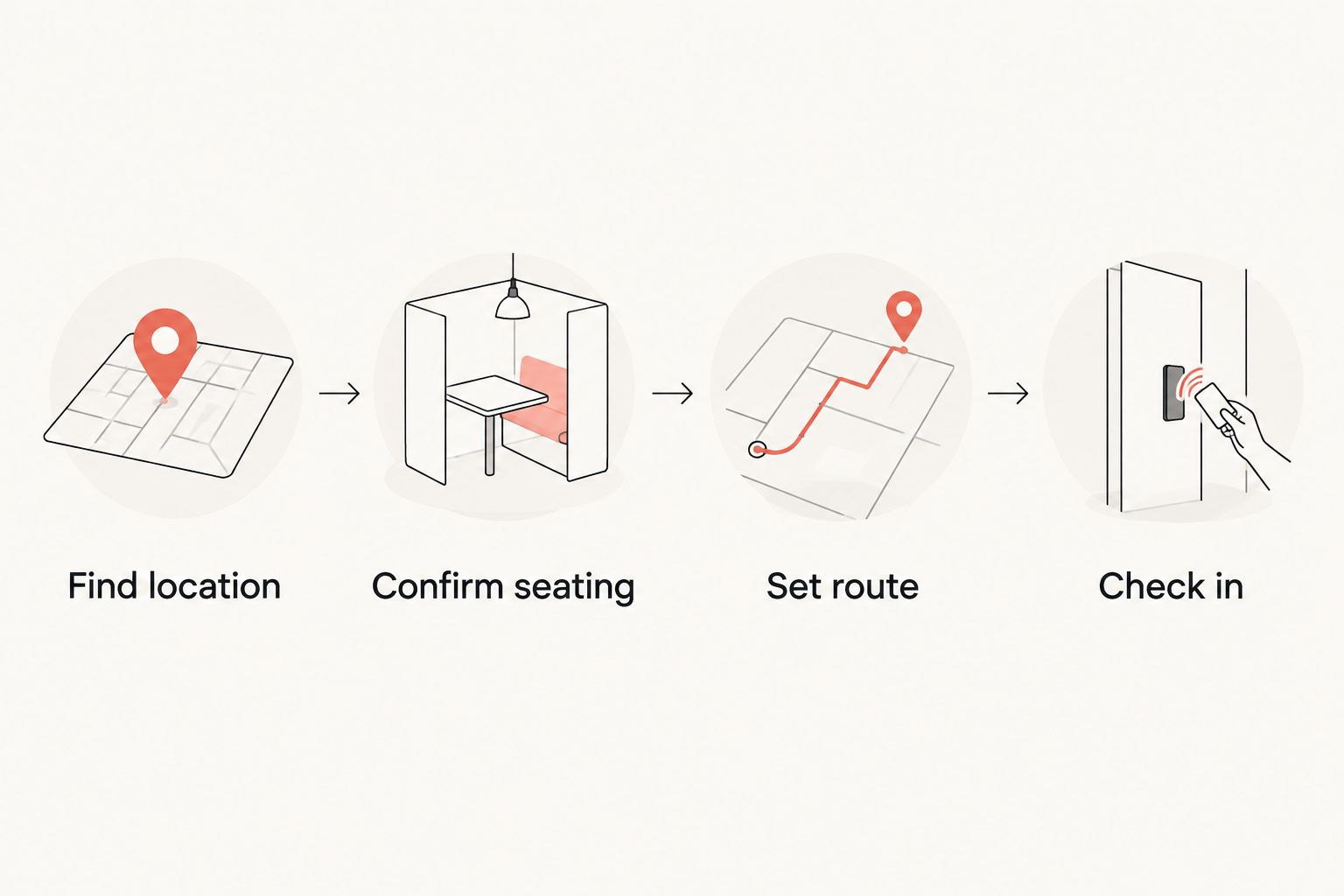
The handoff is simple: Find location, Confirm seating, Set route, Check in. Each action answers a different question. Keeping them separate prevents a route screenshot from becoming the group's supposed reservation record.
Arrival and check-in
Close the loop at the restaurant
- Check that you have reached the restaurant entrance, not merely the map pin. Follow posted entrance information and ask staff if the correct entry is unclear.
- For a confirmed reservation, give the booking name and party size. Keep the confirmation accessible so you can resolve a mismatch without searching through messages.
- For a walk-in, tell staff how many people need seats and ask about the next step. Mention any earlier instructions, but do not present a phone conversation as a booking unless one was confirmed.
- If the party size or arrival plan has changed, explain that immediately. Ask staff to confirm the revised arrangement rather than assuming the original one still applies.
Expected result: staff understand your actual dining request, and your group follows the restaurant's check-in instructions.
At Sliceofsociety, the pizza-lounge appeal includes food, cocktails, and entertainment. Build the evening around the details you have confirmed directly. A general description of live jazz or DJ entertainment does not establish a performance on your chosen date.
Second workflow: update the plan when your group changes
The adjacent workflow is not automatic synchronization. It is a deliberate update whenever the date, arrival time, or party size changes. Apple Maps helps revise the journey; restaurant contact handles the dining arrangement.
Use this sequence for a 2026 group dinner:
- Collect the change. Get the new party size or arrival time from the group before contacting the restaurant. Avoid sending a series of partial updates.
- Update the dining request. Contact the restaurant through the same confirmed channel. If you used a booking service, use its change process where provided and review the outcome.
- Verify acceptance. Keep the original arrangement distinct from the revised request until the change is accepted. A request to move dinner is not itself a new booking.
- Recheck directions. Review your route from the actual starting location and adjust the group's meeting plan.
- Replace the old group message. Clearly state the current details so friends do not rely on an earlier screenshot.
Expected result: the restaurant and your group are working from the same current plan.
Keep one organizer responsible for updates. Multiple people contacting the restaurant about the same party creates unnecessary ambiguity over which request represents the group.
Troubleshooting
The search returns the wrong restaurant
Add Newhall or Santa Clarita to the search and compare the place card with the official website. Do not choose a result solely because the name resembles the restaurant you wanted.
There is no booking action on the place card
Use the restaurant's official contact channel and ask how dine-in seating works. The absence of a booking action does not answer whether the restaurant accepts reservations, and you do not need one to ask about walk-ins.
You submitted a request but have no confirmation
Check the booking service or contact channel you used, then ask the restaurant to clarify the request's status. Do not describe the table as reserved until you receive an explicit confirmation.
The listing and restaurant information disagree
Ask the restaurant to confirm the information that affects your visit, including the address or dining hours. Resolve the mismatch before starting directions rather than choosing whichever version fits your plan.
Your arrival time changes after navigation starts
Contact the restaurant about the changed arrival if you have a confirmed reservation. Update your group separately; an Apple Maps arrival estimate does not change the restaurant's booking record.
Customize your workflow
Decide what the evening is actually about before adding more moving parts. Pizza and conversation need a different plan from a night built around entertainment. When music is the reason for your visit, confirm the date-specific details directly.
Sliceofsociety's pizza lounge combines New York-style pizza, small plates, cocktails, and entertainment. That combination suits a food-and-nightlife outing; it is not a reason to assume every entertainment format runs every night. Ask about the evening you intend to attend.
If your objective changes from dine-in to takeout, start the ordering process separately. A table request is not a food order, and a completed food order does not create a dining reservation.
Plan your pizza night
Visit the official site before confirming your dining plan and starting directions.
FAQ
Can I make pizza restaurant reservations through Apple Maps?
Use a booking action when the restaurant's place card provides one, and complete the linked booking process. If none appears, contact the restaurant through its official channel; directions alone do not reserve a table.
Does calling a restaurant through Apple Maps reserve a table?
No, placing a call does not reserve a table. A reservation exists only when the restaurant or its booking service explicitly confirms the dining arrangement.
What is the difference between a walk-in and a reservation?
A walk-in requests seating after arrival, while a reservation is an explicitly confirmed arrangement made beforehand. Calling for walk-in instructions does not automatically change a walk-in into a reservation.
How do I find the right pizza restaurant in Newhall on Apple Maps?
Search for the restaurant name with Newhall or Santa Clarita, then compare the place card with the official website. Verify the destination before using its contact actions or starting directions.
What should I tell the restaurant before bringing a group?
Give the restaurant your date, intended arrival time, and full party size. Ask whether your plan is a confirmed reservation or a walk-in, and raise any access or dietary questions directly.
Does an online pizza order include a table reservation?
No, an online pizza order does not by itself establish a table reservation. Handle ordering and dine-in seating as separate requests unless the restaurant explicitly confirms both.
Can I use an Apple Maps arrival estimate to change my reservation?
No, an arrival estimate does not update a restaurant reservation. Contact the restaurant or use the booking service's change process, then verify that the revised arrangement has been accepted.
One last thing
Before you leave, ask the organizer one question: are we confirmed, or are we walking in? A clear answer prevents more confusion than another screenshot of the route.
For 2026 pizza nights, keep the destination, dining arrangement, and travel plan together—but never mistake one for another. Directions get you to the door. Check-in establishes what happens next.