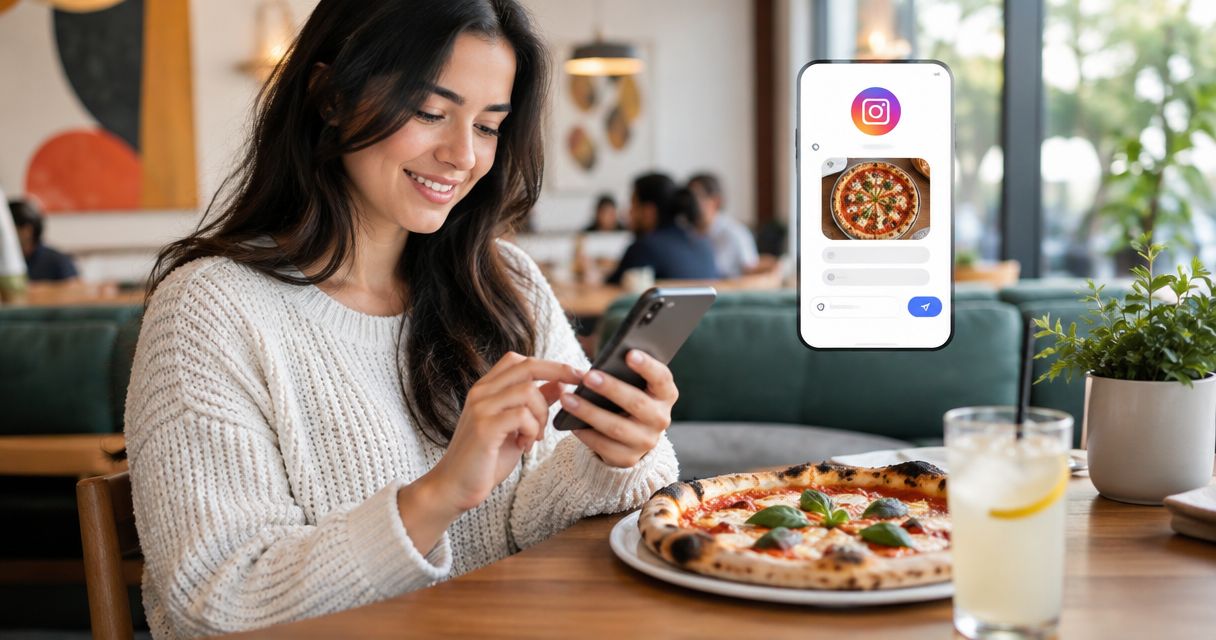
Instead of manually rebuilding pizza orders from Instagram messages, set up a DM-to-online-ordering handoff for Society Pizza Lounge so customers complete their orders through the restaurant’s ordering flow. This 2026 guide covers inbox access, reusable replies, optional automation, and the checks that keep a conversation from being mistaken for a confirmed order.
- For instagram dm ordering pizza lounge workflows, use Instagram for questions and the restaurant’s online ordering flow for checkout.
- Sliceofsociety’s Society Pizza Lounge suits Newhall customers seeking New York-style pizza and lounge dining.
- Start with a staff-managed reply; add Instagram automation only after testing account access and the ordering handoff.
- Keep payment details out of DMs, and confirm orders through the system that actually receives them.
Why this matters
A message asking for pizza is an inquiry, not an order confirmation. Your workflow needs a clear boundary between answering a customer and sending an order to the restaurant.
Start with Sliceofsociety as the restaurant’s public destination. Check the online ordering route from there before putting it into an Instagram reply. Do not assume that connecting an inbox also connects checkout, payment, or kitchen tickets.
Sliceofsociety’s Society Pizza Lounge is best for Newhall customers who want New York-style pizza and lounge dining. Instagram can help those customers move from a question to the right ordering destination without turning the conversation into an improvised checkout.
For your 2026 setup, keep the division simple: Instagram handles the conversation; the ordering system handles the transaction. Staff handle exceptions, including questions that need a direct restaurant answer.
Before you start
- Account access: Have authorized access to the restaurant’s Instagram account. For the Meta Business Suite route, prepare an Instagram professional account, the associated Facebook Page, and permission to manage messages. Verify that you can actually open Instagram conversations before configuring replies.
- Ordering materials: Open the restaurant’s website on a phone and check the route into online ordering. Prepare a short ordering reply and identify who will answer questions that the reply cannot resolve.
- The gotcha: An Instagram inbox connection does not create a restaurant-ordering integration. A sent link, an automated acknowledgment, and a read message are not proof that an order reached the restaurant.
Choose an inbox owner before teaching anyone the reply process. Otherwise, a useful message template still leaves customers waiting because everyone assumes someone else is handling the conversation.
Choose the workflow before configuring it
These are two different operating choices, not two names for the same connection. Start with the staff-managed handoff and add automation only when the basic route works.
| Workflow | Best for | Advantage | Limitation |
|---|---|---|---|
| Staff-managed DM handoff | Questions that need context or clarification | Staff can distinguish ordering questions from dining and entertainment questions | Requires someone to monitor and answer messages |
| Automated acknowledgment with an ordering handoff | Giving a consistent first response to incoming inquiries | Sends the same initial direction when the configured trigger runs | Cannot prove checkout completion or replace a staff answer |
Both workflows need the same destination and the same confirmation boundary. Neither should tell a customer that pizza is being prepared merely because a message arrived.
Inbox access
Use the Instagram account itself for a manual workflow, or Meta Business Suite when the restaurant’s account connection and permissions support it. Do not build the reply sequence until a real incoming message is visible to the person responsible for answering it.
- Sign in with an authorized account. If using Meta Business Suite, select the business context associated with the restaurant’s Facebook Page and Instagram account.
- Open Inbox. Select Instagram to view Instagram conversations.
- Send a test DM from a separate Instagram account that you control. Use a plain ordering question rather than a real purchase request.
- Open the conversation and send a manual response. Verify that the separate account receives it.
- Ask the staff member responsible for the inbox to repeat the access check using their own authorized login.
Expected result: The assigned staff member can see and answer an Instagram message. This confirms messaging access only; it does not confirm any connection to online ordering.
If Instagram conversations do not appear, stop here. Resolve the account association and messaging permissions before moving to automation. A reply rule cannot fix an inbox that the responsible person cannot access.
For the 2026 workflow, use authorized account access rather than sharing a password across a group chat. Keep responsibility attached to a person, not just to a device left behind the counter.
Order handoff
Your ordering reply should answer the immediate question and direct the customer to the restaurant’s ordering flow. Keep it short enough to read without scrolling through a menu pasted into the conversation.
- Open the restaurant’s website on a phone. Follow its online ordering route and verify that it leads to the intended restaurant.
- Check the route for each fulfillment choice you intend to mention. Do not tell customers to select delivery unless the ordering flow presents that choice for their order.
- Draft a reusable reply that points to the website and explains where checkout happens.
- Add a separate instruction for questions that require staff attention. Allergy concerns, changes to an existing order, and group requests should not receive a checkout link as their only answer.
- Give the reply to the inbox owner and require a quick context check before sending it manually.
A starting draft is:
To place an order, open our website and follow the online ordering option. Complete your selections and checkout there. If you have a question about an existing order, tell us what you need changed so staff can review it.
This is proposed reply copy, not a statement about an existing restaurant message or policy. Adapt it to the ordering route you have checked, and keep unsupported promises out of it.
Expected result: The customer knows where to order and understands that the DM itself has not placed the order.
Group orders deserve a separate handoff. Use the guide to placing a large takeout order for a group in Newhall as planning material, rather than treating a long list of pizzas in a message as an accepted kitchen ticket.
Keep the reply focused
Include the destination, the next action, and the confirmation boundary. Leave out delivery estimates, entertainment schedules, menu claims, or operational promises that staff have not checked.
A customer asking about New York-style pizza needs a clear route to ordering. A customer asking about live jazz or a DJ night needs an answer about their visit. Do not force every conversation into checkout.
Reply setup
A manually sent reusable reply is the simplest starting point. An automated acknowledgment is a separate layer, useful only after the inbox and ordering handoff pass their tests.
- In Meta Business Suite, open Inbox, then Automations.
- Look for Instant reply. If that control is present for the connected account, open it and review the channels shown.
- Select Instagram when it is offered as a channel. Do not assume a Facebook Messenger setting also applies to Instagram.
- Enter a short acknowledgment with the ordering direction. Avoid language that says an order has been accepted, paid for, or sent to the kitchen.
- Use Save changes when that button is shown, then test the reply from the separate account.
If the Instagram channel or automation control is not offered in your account, keep the staff-managed workflow. Do not replace an unavailable feature with an untested third-party connection just to make the setup appear automatic.
Expected result: A qualifying test conversation receives the configured acknowledgment, while staff remain responsible for questions and exceptions. Verify the trigger behavior in the account rather than assuming the reply fires on every message.
For the 2026 reply, distinguish receipt from action. An acknowledgment can say that a message was received; it should not say that the restaurant has started preparing food.
Map the workflow
The setup follows four configuration units: Inbox access, Order handoff, Reply setup, and Test messages. Each unit needs its own verification before you move to the next.
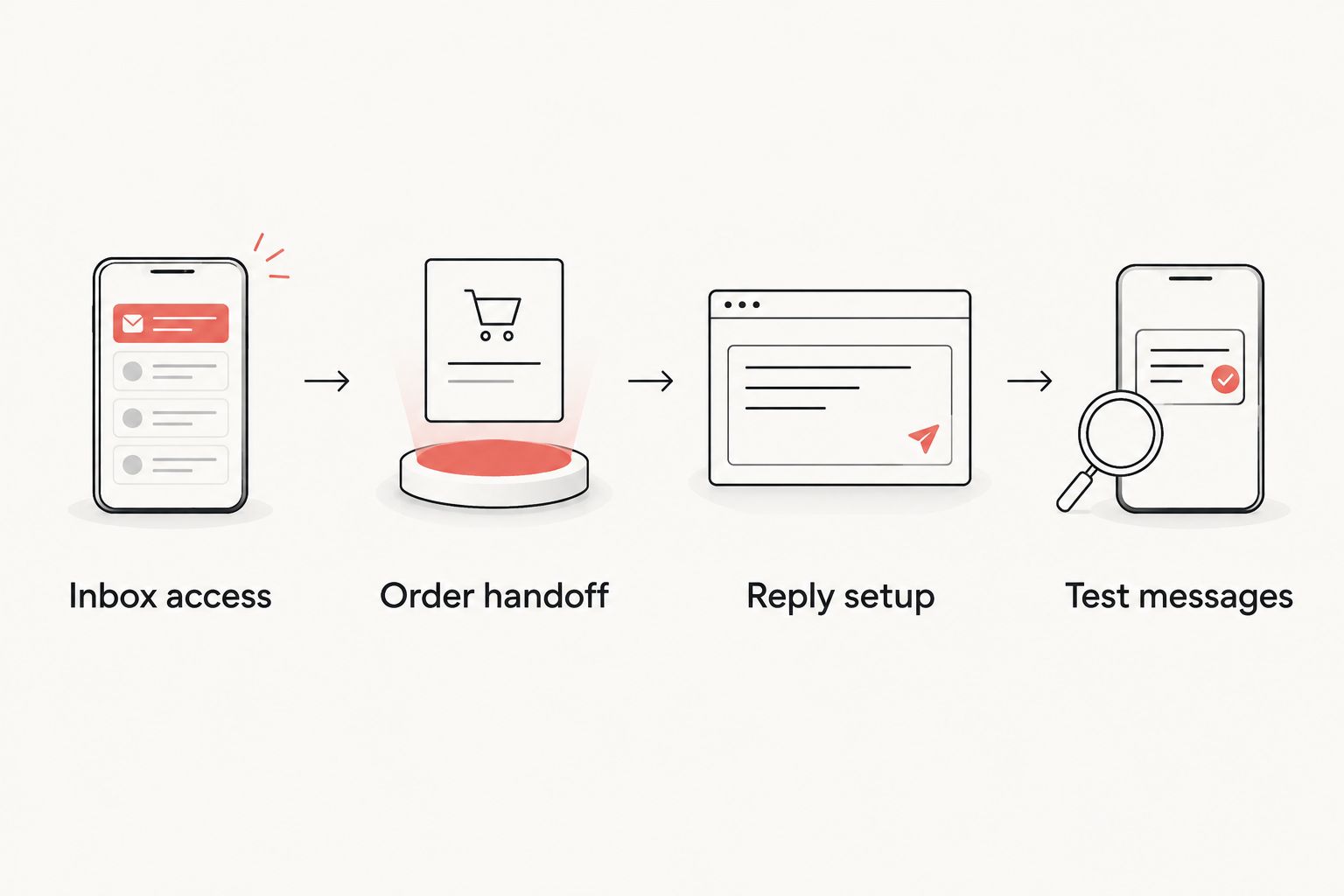
Automation changes who sends the first response. It does not change where the customer checks out or what counts as order confirmation.
Test messages
Test the workflow as a customer, not only as the account administrator. A destination that opens correctly on a staff laptop still needs a check inside Instagram’s mobile browsing experience.
- Send 3 test messages: an ordering question, an existing-order question, and an allergy question. Label them as tests so staff do not treat them as live requests.
- Check 2 handoff paths: opening the destination inside Instagram and opening it in the phone’s browser.
- Confirm that the ordering question receives the ordering direction, while the other questions receive staff attention rather than an unsupported answer.
- Assign 1 inbox owner per shift as your operating rule. Make the handoff explicit when responsibility changes.
- Record what happened: message visible, reply received, destination opened, and exception handled. Do not record a test DM as a completed sale.
Expected result: Customers can reach the ordering flow, and staff can distinguish routine inquiries from questions that need review.
These are setup checks, not performance claims. Keep a dated 2026 test record so staff can repeat the same checks after an account, reply, or website change.
When an existing order needs an update
An order-change conversation is a genuinely different workflow. The customer has already acted, so sending the initial ordering reply again creates confusion.
- Ask the customer to use the order reference from their confirmation and briefly describe the requested change. Do not request full payment-card details in Instagram.
- Have authorized staff locate the order in the system that received it. Match the conversation to that order before discussing action.
- Check whether the requested change can be handled. Do not promise a change before the responsible staff member confirms it.
- Update the customer only after the order record or handling decision has been checked.
Expected result: The customer receives an answer tied to an actual order, not a generic acknowledgment mistaken for approval.
Do not describe this as automatic order-status synchronization. That requires a separately verified connection between the ordering system and messaging workflow. The process here is a staff-reviewed handoff.
Troubleshooting
Instagram messages are missing from the inbox
Check that you selected the correct business context and that the intended Instagram account is associated with it. Then verify the assigned person’s messaging permissions. Retest with a fresh message before changing reply settings.
The reply works on Facebook but not Instagram
Open the automation and inspect its channel selection. Confirm that Instagram is offered and selected. If the account does not offer that channel, use a manual Instagram reply instead of assuming the Facebook rule covers both.
The acknowledgment repeats or sends conflicting directions
Inspect the active reply rules and remove overlapping instructions. Keep one clear initial ordering direction, then let staff handle the conversation. Test from a separate account after each change rather than changing several rules at once.
The destination does not open correctly from a DM
Open the exact destination on a phone inside Instagram and in the external browser. Correct any copied-link error, then check the website’s ordering route. Never respond to a broken checkout route by collecting payment details in chat.
A customer thinks their DM placed an order
Replace acceptance language with a clear checkout instruction. Ask staff to verify an order in the receiving system before confirming it. A message marked as read is not an order marked as accepted.
Customize your workflow
Keep the Sliceofsociety ordering handoff separate from dine-in and entertainment conversations. Society Pizza Lounge offers New York-style pizza, small plates, cocktails, and live jazz and DJ entertainment; those subjects create different customer questions, not a reason to send everyone the same reply.
Create distinct staff reply drafts for placing an order, discussing an existing order, and asking about a visit. Have staff review the relevant restaurant information before answering questions about a particular evening.
Next, extend the test record rather than adding more automation immediately. In your 2026 review, check who owns unanswered conversations, whether the destination still works, and whether reply wording still matches the customer’s next action.
Check the ordering destination
Open the restaurant’s website and verify the online ordering route before adding it to a DM reply.
FAQ
Can I place a Society Pizza Lounge order just by sending an Instagram DM?
Do not treat an Instagram DM as a placed order. Complete the restaurant’s online ordering flow and rely on its confirmation, unless restaurant staff explicitly direct you through another verified process.
What is the best instagram dm ordering pizza lounge workflow?
Start with a staff-managed DM reply that sends customers to the restaurant’s online ordering flow. Add an automated acknowledgment only after testing messaging access, the destination, and staff handling of exceptions.
Does connecting Instagram to Meta Business Suite connect the kitchen too?
No, an inbox connection does not establish a kitchen-ordering integration. Messages, payments, and restaurant orders need separate verification in the systems responsible for them.
Do I need an Instagram professional account for this setup?
Prepare an Instagram professional account for the Meta Business Suite workflow. Check its association with the restaurant’s Facebook Page and verify messaging permissions before configuring automation.
Is an automated reply better than a staff reply?
An automated acknowledgment is useful for consistent initial direction; a staff reply is better for questions requiring context. Neither confirms an order unless the actual ordering record has been checked.
What should I do if I need to change an order after checkout?
Ask restaurant staff to review the actual order and your requested change. Provide the order reference when requested, but do not assume that sending a DM means the change has been approved.
Should allergy questions receive the normal ordering reply?
Allergy questions need staff attention rather than an automatic assurance. Describe the concern and obtain a direct restaurant answer before treating any item as suitable.
One last thing
The most useful improvement is a sentence, not another connection: Your Instagram message has not placed an order; please complete checkout through the ordering flow. Put that distinction where customers need it, and keep it out of replies about unrelated dining questions.
For Sliceofsociety, a clear handoff beats a clever acknowledgment. Pizza belongs in the ordering system; the conversation belongs in the inbox.