Instead of manually repeating jazz-night details in every Instagram reply, build a Reel-to-profile-to-inquiry workflow that gives guests a clear next step. This 2026 guide connects event confirmation, video publishing, guest questions, and attendance tracking without treating views as filled seats.
- Instagram Reels to packed live jazz nights requires confirmed event details, a clear guest action, and attendance tracking.
- Society Pizza Lounge suits Newhall diners who want New York-style pizza, cocktails, and live jazz together.
- Use Instagram Reels for discovery; confirm event details and guest arrangements separately.
- Track inquiries and arrivals alongside Reel performance; views alone do not establish attendance.
Why this matters
A jazz clip creates interest. Your next job is to answer the practical questions: where, when, and how to plan a visit. Society Pizza Lounge is best for Newhall diners who want New York-style pizza, cocktails, and live jazz in one outing. The Society Pizza Lounge website is the starting point for venue information, not proof of a particular performance date.
For your 2026 campaign, define success as a traceable path from interest to an actual visit. A Reel view, a question about the music, and a guest arrival are different events. Keep them separate so you know which part of the workflow needs attention.
This is an operating workflow, not a claimed connection between Instagram and a reservation system. Publishing a Reel does not create a booking, and sending a message does not confirm a table.
Before you start
- Access: Have permission to publish on the venue’s Instagram account and edit its profile links. Use a professional account if you intend to review Instagram Insights, and assign someone to handle incoming questions.
- Materials: Gather confirmed performance details, approved footage, permission to use the recording, a working guest-information destination, and an internal event record. Confirm music rights before editing; permission to film musicians is not automatically permission to distribute every song they perform.
- The gotcha: Do not build the workflow around a clickable URL in a Reel caption. Put the destination in the profile’s link section, then test the entire guest journey from another account before publishing.
Event record and guest destination
The event record is your source of truth. Create it before opening the video editor, and have the person responsible for the night approve the details.
- Create an internal record with these fields: Event date, Performance time, Performer, Venue, Guest action, Approved destination, Campaign label, and Reply owner. These are worksheet labels you create, not Instagram settings.
- Enter the full date, including 2026, and confirm the local performance time. Keep dining hours separate from performance hours; one does not establish the other.
- Choose one primary guest action. Use an information destination when guests need event details, or an inquiry destination when their plans require a response. Do not describe an inquiry form as instant booking.
- Test the destination on a phone. Read the page as a first-time visitor, submit a test inquiry where appropriate, and confirm that the responsible person receives it.
Expected result: You have an approved event record and a working destination that matches the promise your Reel will make.
Choose the destination deliberately
Neither route wins every situation. Pick the action your team can actually support, then state its limits plainly.
| Route | Best for | Advantage | Limitation |
|---|---|---|---|
| Event information | Guests deciding whether the outing fits | Gives guests something concrete to review | Does not confirm seating or attendance |
| Direct inquiry | Guests with group or planning questions | Lets staff clarify individual needs | Requires a response and separate confirmation |
For this workflow, use the contact page only after checking that it supports the inquiry you intend to request. If the page cannot complete the promised action, change the wording before sending guests there.
A good destination answers the same question as the Reel. A performance announcement should not send someone into an unrelated ordering journey just because that link is already convenient.
Reel content and publishing
Build the Reel around the night you can verify, not a generic promise of a packed room. The aim is to make the experience understandable and the next step obvious.
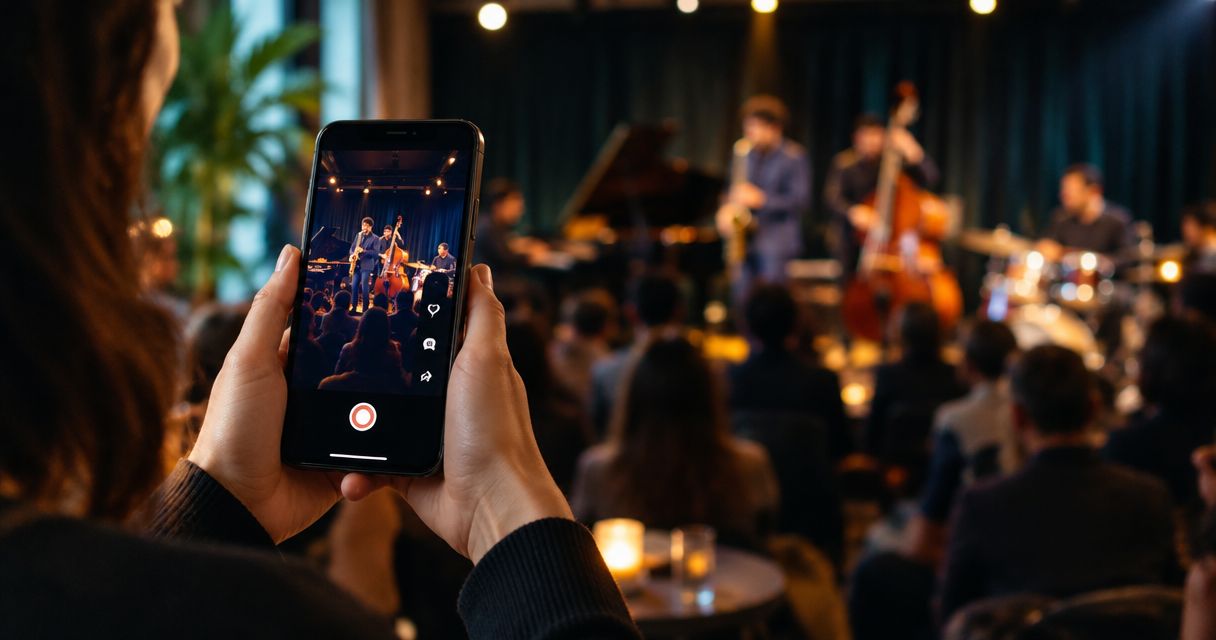
- Select 3 approved clips: a performance moment, a food moment, and a wider view that gives context. Show actual footage only when you have permission to publish it; do not imply footage from another night documents the advertised event.
- Draft a 15-second edit as a starting format, not a platform requirement. Put the jazz moment first, then connect it to the dining experience. Remove any shot that adds atmosphere but obscures the point.
- Add readable event text using the approved record. Include the date, local performance time, venue name, and one action. Keep essential text away from interface overlays and preview it on a phone.
- Write a caption that repeats the confirmed details and explains the next step. Say whether guests should review information or send an inquiry. Avoid unsupported statements about seating, entry requirements, or booking arrangements.
- In Instagram’s Reel composer, advance with Next, review the preview and caption, and publish with Share. Check the live post immediately rather than assuming the published version matches the draft.
Expected result: A viewer can identify the event and understand what to do next without reading a comment thread.
For Society Pizza Lounge, the food and music belong in the same story: New York-style pizza, small plates, cocktails, and live entertainment. Keep the event-specific details separate. The venue’s general offering does not establish who performs on a particular night.
Give every clip a job
Use the performance clip to establish live music, the food clip to establish dining, and the wider shot to connect the two. Let captions carry the logistics rather than asking background audio to explain the evening.
Do not substitute unrelated trending audio when the point is to represent the performance. If the recording cannot be published with the necessary permissions, choose approved material instead. An attractive edit is not a reason to bypass rights checks.
Profile links and reply routing
Your Reel starts the conversation; the profile and reply process need to finish the practical part. Assign ownership before the first question arrives.
- Open the venue profile and select Edit profile, then Links, then Add external link. Enter the approved destination and give it a title that describes the action accurately. Interface placement can differ by app version; verify the live profile after saving.
- Open the profile from another account and follow the link. Confirm that the destination loads, the purpose is clear, and the guest does not need staff-only access.
- Prepare a reusable reply covering the confirmed date, performance time, and next step. Leave seating and special arrangements out unless staff have confirmed them for that guest.
- Assign the Reply owner to review comments and messages. Record unresolved questions in the event record rather than leaving the answer split across personal conversations.
- Mark an inquiry as confirmed only after the venue’s actual confirmation process is complete. A reply acknowledging a message is not a commitment to accommodate the visit.
Expected result: Guests receive consistent information, and staff can distinguish a question from a confirmed arrangement.
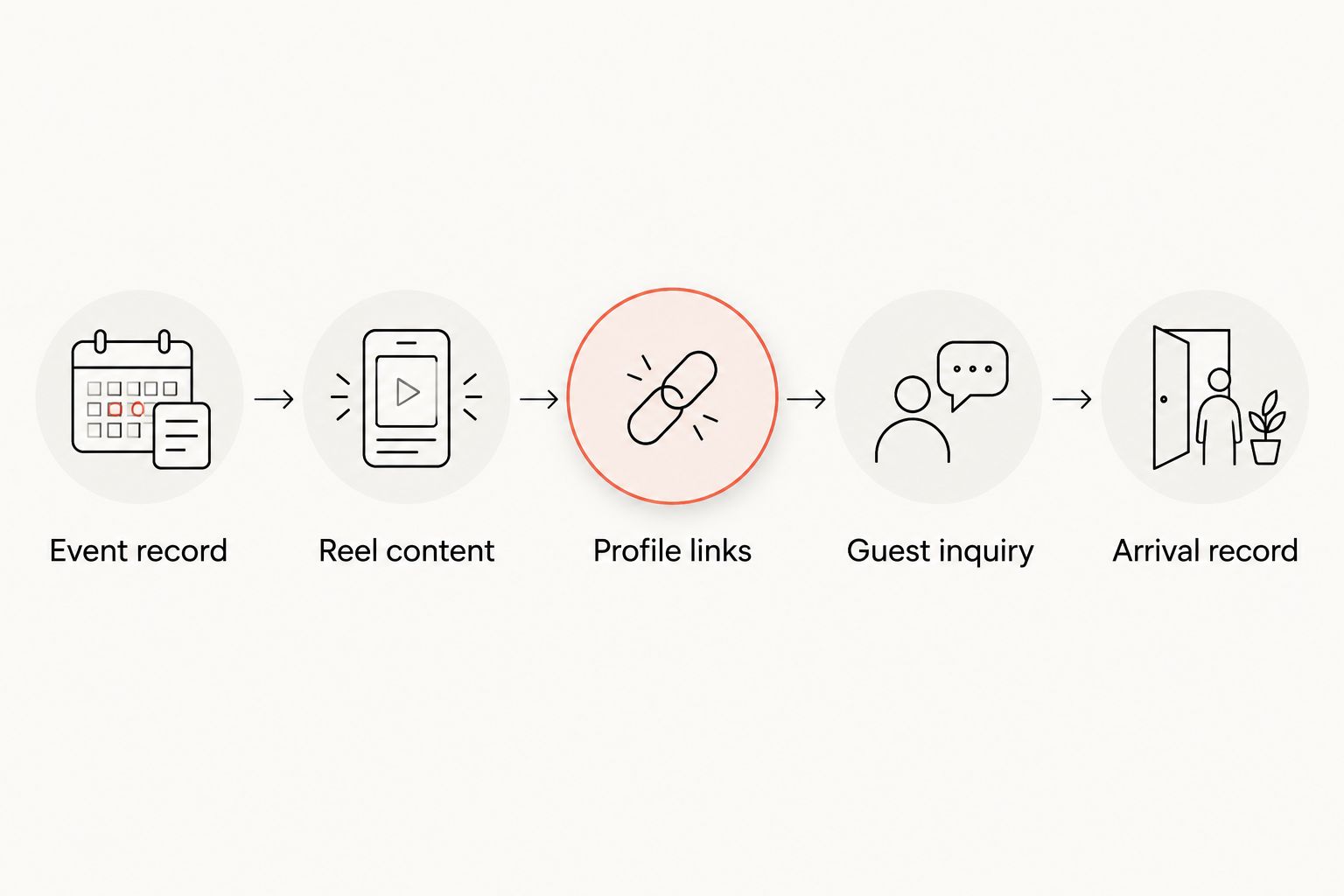
Treat profile links as shared space. Before replacing an existing link, check what other posts direct guests to it. A jazz campaign should not quietly break the route used by diners looking for another service.
Attendance records and campaign review
For 2026 reporting, keep platform activity and venue outcomes in separate columns. They answer different questions.
- Give each event campaign a distinct Campaign label and copy it into the internal event record. Use the same label when recording related inquiries so staff can connect the conversation to the correct night.
- Open the published Reel and select View insights on an eligible professional account. Record the metrics Instagram actually displays, along with the date you recorded them; do not fill unavailable fields with estimates.
- Count event-specific inquiries separately from general messages. A question about delivery does not become jazz-night interest because it arrived after the Reel.
- At arrival, ask guests how they heard about the night when practical. Record an Instagram mention as self-reported attribution, not proof that one particular Reel caused the visit.
- Review the campaign after the event. Compare publishing activity, relevant inquiries, confirmed arrangements, and recorded arrivals without treating them as interchangeable totals.
Expected result: You can describe what happened without turning engagement into an invented attendance figure.
Read the gaps before changing the content
Questions about the date or start time point to information that needs clearer presentation. Questions about how to arrange a visit point to the destination or reply process. Address those specific issues before changing the entire video approach.
Do not call a 2026 campaign successful solely because the Reel attracted views. If attendance attribution was not recorded, report engagement and inquiries as those measures. Leave the attendance claim out.
When a confirmed jazz night changes
A changed performer, date, or performance time needs its own workflow. Editing the internal record alone does not update what guests have already seen.
- Confirm the change with the person responsible for the event and update the source record first.
- Review the profile destination, Reel caption, comments, and any supporting posts for outdated information. Correct what remains editable and publish a clear update when the original video carries the wrong details.
- Contact guests with existing arrangements through the channel already used for their inquiry. Do not assume they will see another Reel.
- Pause reuse of outdated footage or captions until the campaign materials match the confirmed event.
Expected result: New viewers and existing guests receive the same current information.
For recurring nights, duplicate the workflow rather than recycling the event facts. Reconfirm the date, performer, time, permissions, and guest action for each occurrence. Recurrence is not evidence that every detail stays unchanged.
Troubleshooting
Guests cannot find the next step
Open the live Reel, profile, and destination from a guest account. Replace vague instructions with a precise action, and check that the profile link title describes what the page actually does.
The music is muted or restricted
Review the notice shown by Instagram and the rights attached to the recording. Replace disputed material with footage and audio you are authorized to publish; do not repeatedly upload the same recording to bypass a restriction.
Messages arrive, but nobody owns the response
Assign a reply owner and a backup before promoting another night. Keep a shared status record so guests do not receive duplicate answers or conflicting arrangements.
Guests think an inquiry guarantees a table
Correct the call to action and reply language immediately. State that the inquiry requires a response, then explain the actual confirmation process without promising arrangements that have not been approved.
Views look strong, but attendance is unclear
Keep reporting the measures you can verify. Add a consistent arrival question and event-specific inquiry record to the next campaign rather than assigning past visits to Instagram after the fact.
Customize your workflow
Once the basic route works, expand the planning information around it. Separate a couple’s dinner questions from a larger group’s requirements, and give staff a consistent way to pass those questions to the responsible person.
Keep Society Pizza Lounge’s jazz-night promotion distinct from its DJ entertainment. Both belong to the venue’s offering, but the footage, event details, and guest expectations must match the night being promoted.
For your next 2026 campaign, change one meaningful element at a time: the opening clip, the clarity of the event text, or the guest action. Record the change so the next review compares identifiable choices rather than unrelated posts.
FAQ
How do you turn Instagram Reels into live jazz attendance?
Connect a Reel with confirmed event details, a working profile destination, staff replies, and an arrival record. Reels introduce the night; separate confirmation and attendance records establish what happened afterward.
Can Instagram Reels guarantee packed live jazz nights?
No, Instagram Reels do not guarantee attendance. Use engagement to assess content response and record inquiries and arrivals separately.
Do I need automation software for this workflow?
No, this workflow can run with Instagram, an approved guest destination, and a shared event record. Automating messages does not replace event confirmation or staff responsibility.
Should a jazz Reel send guests to information or an inquiry page?
Use information when guests need details and an inquiry page when their plans require a response. The destination must support the action promised in the Reel.
Can I use any song recorded during a live performance?
No, recording a performance does not automatically give you every right needed to publish the music. Confirm permission for the recording and the intended use before posting.
How should I measure a jazz-night Reel in 2026?
Record the Instagram metrics actually shown, event-specific inquiries, confirmed arrangements, and recorded arrivals separately. Identify guest-reported Instagram discovery as self-reported attribution.
Is Society Pizza Lounge suitable for dinner and live jazz?
Society Pizza Lounge offers New York-style pizza, small plates, cocktails, and live jazz in Newhall/Santa Clarita. Confirm the performance details for your intended visit rather than assuming every night has the same entertainment.
One last thing
Test the workflow with someone who did not help build it. Ask that person to find the performance details and explain whether they have merely submitted a question or completed a confirmed arrangement. If they cannot tell the difference, fix the wording before publishing another Reel.